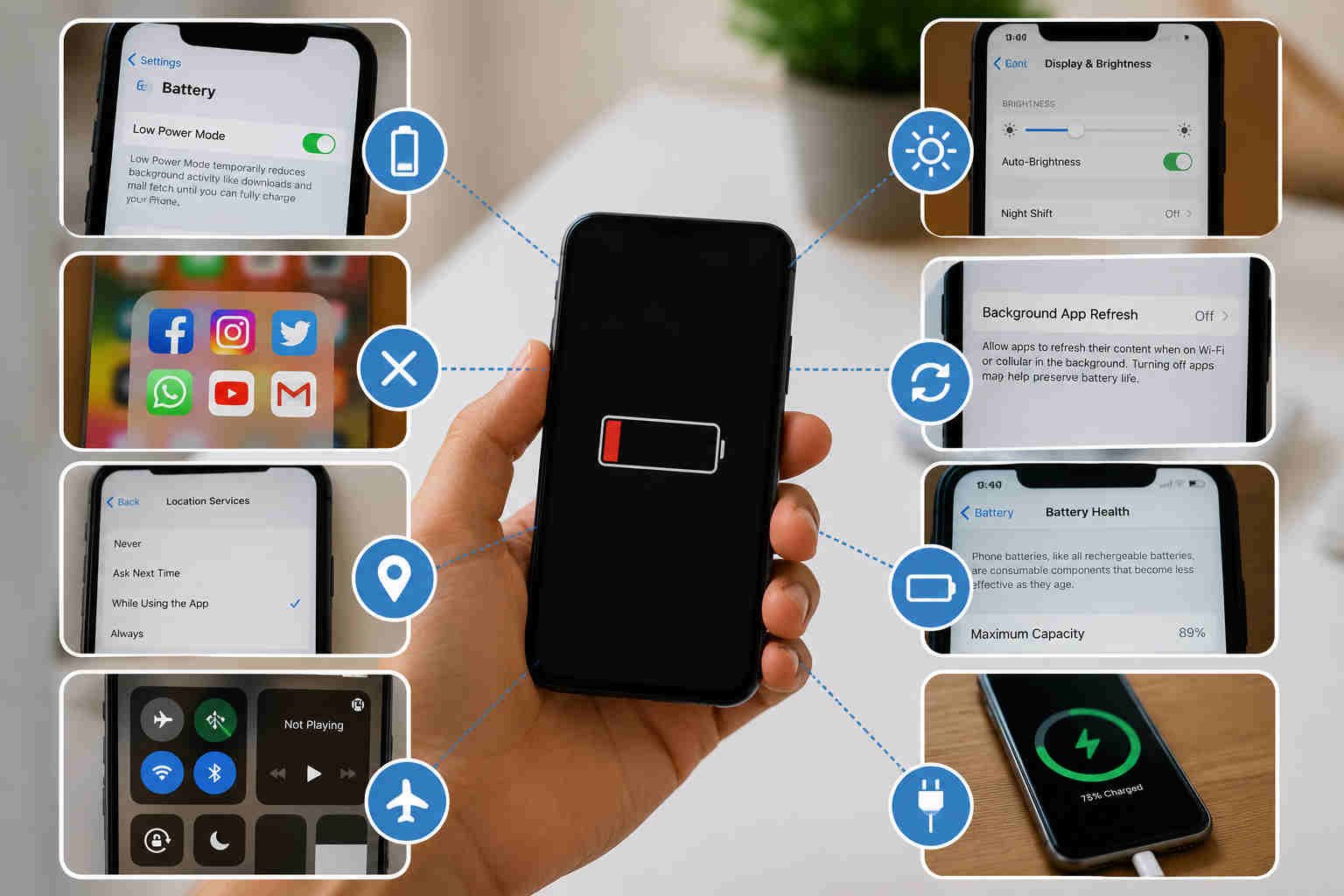
If your phone battery is draining to fast and you should try to check out these 7 useful tips to solve your problem before buying a new phone.
Are you among those who have to put your smartphone on charging very frequently?
Most of your friends must have advised you to buy a new one as the issue is unsolvable. Working with a smartphone with poor battery life can be annoying as you use it for work, travel, payments, entertainment, and communication.
Though most of the newly launched smartphones in 2026 are coming equipped with bigger batteries and good power management, but it is our habits that matter more than anything else in how long your battery lasts and how healthy it remains.
The good news is that that it will take just few seconds to enhance the performance of your phone battery. There are a few easy steps you can take to help your battery drain too fast and most of the below fixes take seconds to save your phone dying early.
1. Dim your screen brightness down.
Your display consumes a lot of battery. Keeping the brightness at max all day long makes your battery work extra hard. Instead, lower the brightness from Control Center when indoors. Activating Dark Mode on your phone’s can reduce power consumption. You can go to Setting- Battery – Low Power Mode.
2. Disable Features Which You Do Not Use.
Bluetooth, GPS, Wi-Fi hotspot, etc are constantly searching even though you are not using them. If you don’t require the services, turn them off from your settings panel. This simple trick can noticeably reduce battery drain.
3. Shut down battery-consuming apps
Certain apps keep running in the background to refresh content, monitor location, send notifications, etc., after you quit them. In the Settings menu, use your phone’s Battery Usage feature to check for power-hungry apps. Limit apps’ background activity to the ones you hardly use.
4. Turn On Battery Saver Mode.
These days, many Android smartphones and iPhones come with battery-saving mode. Use it instantly, especially when you are travelling or don’t have a charger. The fix can help your phone last much longer.
5. Limit Live Wallpapers and Widgets.
Although animated wallpapers and constantly refreshing widgets may look attractive, they can drain a phone’s processing power and battery through a day. Use a static wallpaper.
6. Prevent your battery from overheating in summer
Heat causes dangerous chemical reactions inside lithium-ion batteries. When you leave the cell phone in full sunlight, park the car inside the charger or use it excessively while charging. Then, the long-term battery health will go down.
7. Power Up Smart, Not Long
Smartphones these days manage the charging for you, but good charging practices still matter. We recommend that you unplug your cell phone once it reaches 90%.