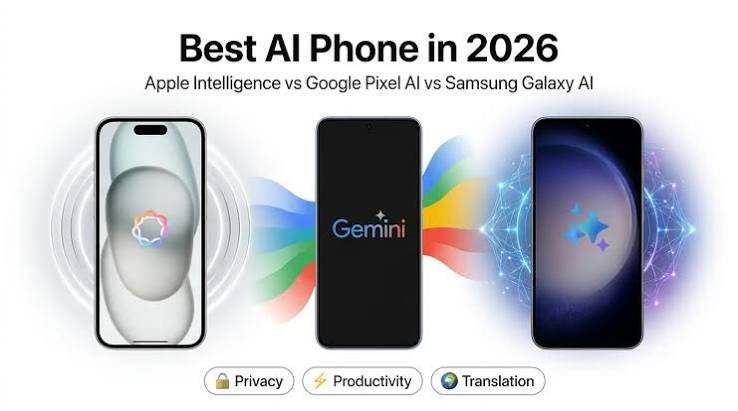
It’s no longer the case that AI phones are solely about futuristic voice assistants. Samsung, Google, Xiaomi, OnePlus and other smartphone brands are infusing AI into photo-editing, translators, note-taking, search and everyday productivity in 2026.
However, not all AI tools are created equal. In India specifically, you’ll find the most value in AI tools that save you time, understand Indian languages and work seamlessly with day-to-day tasks like planning trips, creating content, making calls, sending payments and managing documents.
Samsung’s Galaxy AI Vs Google’s Gemini
Galaxy AI refers to Samsung’s suite of smartphone-based tools. These include Photo Assist, Writing Assist, Live Translate, Interpreter, Creative Studio, Now Brief and Circle to Search. Samsung’s focus is on AI that powers communication, creativity and productivity. Some features support up to 41 languages globally as of July 2026.
Gemini is Google’s new AI chatbot that can respond to questions, summarise information, assist with writing, analyse images and connect with Gmail, Google Photos, YouTube and Google Search via Personal Intelligence. Gemini now supports over 25 Indian languages and dialects ranging from Hindi, Bengali, Marathi and Tamil to Telugu, Malayalam, Bhojpuri and Maithili.
Galaxy AI lives within supported Samsung phones, while Google’s Gemini AI stretches across Android phones and all of Google’s services.
| Feature | Best use for Indian users | Practical value |
| Circle to Search | Identify products, translate signs or search anything visible on screen | Very high |
| Live Translate | Communicate during multilingual calls or travel | High |
| Writing Assist | Rewrite messages, captions, emails and social media posts | High |
| Photo Assist | Remove distractions, resize images and improve compositions | High for creators |
| Note and call summaries | Convert meetings, interviews and voice notes into useful points | High for professionals |
| Gemini Live | Ask questions naturally in English or Indian languages | High |
| AI travel planning | Build itineraries, compare options and summarise attractions | Useful, but verify facts |
| Generative wallpapers and stickers | Personalise the phone | Fun, but not essential |
Both Galaxy AI and Gemini can aid productivity for content creators. Features like Writing Assist, Photo Assist and Gemini can help speed up writing captions, editing photos and brainstorming content. Circle to Search is useful for travellers trying to decipher menus, landmarks, signs and product details. Translation tools can break down language barriers while you’re at it.
Features You Don’t Need to Overpay For
- AI Portrait Mode: Fun, but not a reason to buy an expensive phone.
- AI Wallpapers & Filters: Nice extras, but basic photo effects shouldn’t influence your purchase.
- AI Summaries: Can sometimes miss context, misidentify speakers or provide incorrect information.
- Cloud-based AI: Many features need a stable internet connection to work properly.
- Premium AI Features: Some tools may only be available on expensive Samsung Galaxy phones or through paid Gemini plans.
- Privacy: Check whether your photos, calls, emails or documents are sent to cloud servers for AI processing.
Do you need to buy an AI phone?
Only purchase a smartphone with AI tools if you’ll be using them often.
Indian smartphone buyers should prioritise AI tools that have evolved past gimmicks. The best AI smartphone is not the one with the biggest brochure of features. Instead, it’s the smartphone that: has reliable translation and note-taking, offers useful image editing, understands local languages, doesn’t die throughout the day and has transparent privacy practices. AI features should help you use your phone with greater ease, not force you to pay more for tools you’ll never use.